 admin
admin
If your notion export not working bug fixed, the problem may be caused by a large workspace, export permissions, browser issues, file-size limits, or a ZIP extraction problem rather than lost data. Notion still supports exporting pages, databases, and workspaces in formats such as PDF, HTML, Markdown, and CSV in 2026.
Exporting is useful when you want an offline backup, move information to another tool, save documents as PDFs, or keep a copy of important work. But when the Export button does nothing, an export fails, or the download never arrives, it can be frustrating.
The good news is that most export problems have a practical workaround.
Why Is Notion Export Not Working?
There is no single cause behind every export failure. The right fix depends on what happens when you select Export.
For example, a small page that refuses to export may point to a browser or app issue. A full-workspace export that fails may be related to the size or structure of the workspace.
Notion’s own documentation says particularly large workspaces can have trouble completing the Export all workspace content process. Its recommended workaround is to export smaller sections separately.
Common causes include:
- A very large workspace
- Too many subpages or files
- Export permissions being disabled
- Browser cache or connection problems
- Desktop app glitches
- Large ZIP files
- Windows path-length limitations
- Waiting for an email download link
- Trying to export a database view that is not supported
- Temporary problems on Notion’s side
Quick Notion Export Troubleshooting Table
| Problem | Likely cause | Best first fix |
| Export button missing | Export disabled or permissions | Check workspace security |
| Export starts but fails | Large page/workspace | Export smaller sections |
| Nothing downloads | Large export or browser issue | Check email and try browser |
| ZIP won’t open | Long Windows file path | Use 7-Zip or shorter folders |
| PDF export fails | PDF generation issue | Try HTML export |
| Database export looks incomplete | View limitations | Export the supported view |
| Workspace export takes too long | Large workspace | Wait for email or batch exports |
Notion Export Not Working Bug Fixed by Checking Permissions
If the Export option is missing completely, check permissions before changing anything else.
Notion says Enterprise workspaces can disable exporting through security settings. Workspace owners can check Settings → Security → Disable export, while teamspace owners can also have export restrictions. Guests may need Full access to a page or database before they can export it.
If you’re working in a company or school workspace, you may not have permission to change this setting yourself.
Ask the workspace administrator to check:
- Open Settings.
- Go to Security.
- Look for the export restriction.
- Make sure exporting is allowed.
- Confirm that you have sufficient access to the page.
This can explain why another member of the same workspace can export a page while you cannot.
Fix a Large Notion Workspace Export
One of the most important fixes is to stop trying to export the entire workspace in one operation.
Notion states that large workspaces can experience problems with the Export all workspace content function. Its suggested workaround is to export important top-level pages in smaller batches using HTML or Markdown & CSV with subpages included.
Try this method:
- Open a top-level page.
- Click the ••• menu.
- Select Export.
- Choose HTML or Markdown & CSV.
- Turn on Include subpages if needed.
- Start the export.
- Repeat the process for other important top-level pages.
This approach may take longer, but it can be much more reliable than attempting one massive workspace export.
Notion also says full workspace exports can take up to 30 hours, depending on workspace size. The download link is sent by email and expires after seven days.
So if the export does not download immediately, don’t assume it has failed.
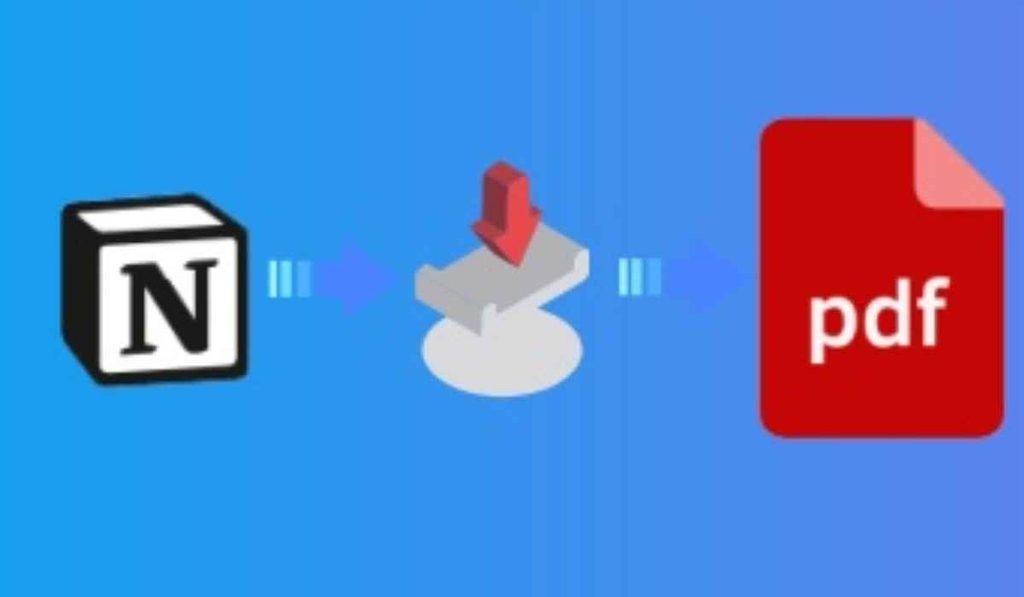
Try HTML When Notion PDF Export Fails

If you’re trying to save a page as a PDF and the export keeps failing, switch formats.
Notion’s current help documentation says that when a PDF export fails, Notion may instead export the page as HTML.
HTML can be a useful backup because it preserves the page structure and can include related files and subpages.
To try it:
- Open the Notion page.
- Click •••.
- Select Export.
- Choose HTML.
- Enable Include subpages if necessary.
- Click Export.
For individual pages, you can also use your browser’s Print → Save as PDF option. Notion recommends this as another way to create a PDF, although full-page databases cannot be printed this way.
Fix Notion Export Downloads That Never Appear
A common misunderstanding is expecting every export to download immediately.
Small exports may start downloading right away. Larger exports can instead be processed by Notion, with a download link sent to your email. Notion says this behavior depends on the size of the file.
If you click Export and nothing appears, check:
- Your email inbox.
- Your spam or junk folder.
- The email address connected to your Notion account.
- Your Notion in-app inbox.
There is another important detail. If email notifications are turned off, Notion says the export link can be delivered to the in-app inbox instead.
This means the export may actually be processing even though your browser shows no download.
Fix a Notion ZIP File That Won’t Open on Windows

Sometimes the export itself works, but the downloaded ZIP file refuses to open.
This is particularly relevant on Windows when your Notion workspace contains deeply nested pages with long names.
Notion explains that Windows has a default maximum file-path limitation of 260 characters. Nested folders created during an export can push paths beyond that limit.
You have two straightforward options.
Option 1: Reduce Folder Nesting
When exporting, look for the option to avoid creating folders for subpages.
Keeping files in a flatter folder structure can reduce the overall path length.
Option 2: Use 7-Zip
If Windows Explorer cannot extract the ZIP, try 7-Zip or another archive utility that handles long paths more effectively. Notion specifically recommends 7-Zip as a workaround for this problem.
Your data may be perfectly fine even when Windows refuses to extract the archive.
Try a Different Browser or Device
If a normal page export fails, test the same page somewhere else.
For example:
- If you’re using Chrome, try Edge or Firefox.
- If you’re using the desktop app, open Notion in your browser.
- If you’re using the browser, try the desktop app.
- Temporarily disable extensions that interfere with downloads.
- Check whether your internet connection is stable.
Notion’s troubleshooting guidance also recommends trying a different browser, device, or platform when access problems occur. It suggests checking VPNs, firewalls, privacy tools, and DNS settings if network restrictions are involved.
This is especially useful on work or school networks where security software may block parts of Notion.
What Notion Can and Cannot Export

Before assuming the exporter is broken, check whether the content type is actually supported.
Notion currently supports:
- PDF for pages and databases
- HTML for pages and databases
- Markdown & CSV for supported pages and databases
- CSV for database data
- Workspace exports containing pages and uploaded files
Notion also notes some limitations. For example, a database’s Form view cannot currently be exported, while questions and responses can be exported from Table view. Database exports also do not export all views simultaneously.
So if only one database view seems to be missing, that may be expected behavior rather than an export bug.
A Reliable Fix When Notion Export Still Fails
If you have tried the basic fixes and notion export not working bug fixed is still not your situation, use a smaller export strategy.
Start with one important page instead of the entire workspace.
Then:
- Export the page as HTML.
- Open the downloaded file or ZIP.
- Confirm that the content is present.
- Export another top-level section.
- Continue until your important workspace data is backed up.
- Try the full workspace export later.
This method also helps identify whether a particular page, database, attachment, or workspace section is causing the failure.
If you’re backing up important information, don’t wait until you have a serious problem. Notion says its data is stored in the cloud and that it keeps per-minute backups of page content on its servers, but maintaining your own export gives you an additional copy.
What to Do If Nothing Works
If notion export not working bug fixed solutions above don’t solve the issue, check Notion’s current service status before repeatedly trying the same export.
Notion’s own troubleshooting pages recommend checking its status information for known service problems.
You can also contact Notion support through the Help Center if the problem continues.
When contacting support, include useful details such as:
- Export format
- Page or workspace size
- Browser or app you’re using
- Operating system
- Exact error message
- Whether smaller pages export successfully
- Whether the problem happens on another device
That information makes it easier to identify whether you’re dealing with a local problem or an issue with the export service.
FAQs
- Why is Notion export not working in 2026?
- Large workspaces, permissions, browser problems, unsupported content, and ZIP extraction issues can all prevent an export from working normally.
- How do I fix a failed Notion workspace export?
- Export smaller top-level pages separately as HTML or Markdown & CSV instead of exporting the entire workspace at once.
- Why is my Notion export not downloading?
- Large exports may be processed and delivered through an email or Notion in-app download link rather than downloading immediately.
- Why won’t my Notion ZIP file open on Windows?
- Long file paths created by deeply nested pages can exceed Windows’ default path limitation, so reducing folder nesting or using 7-Zip can help.
- Can I export a Notion page if PDF export fails?
- Yes, you can try HTML or Markdown & CSV, and Notion may fall back to HTML when a PDF export fails.
When notion export not working bug fixed is what you’re searching for, the key is to identify where the failure happens. Check permissions if Export is missing, use smaller batches for large workspaces, check your email for delayed downloads, and try HTML when PDF gives you trouble. In most cases, one of these steps can get your Notion data safely out of the workspace without starting over.